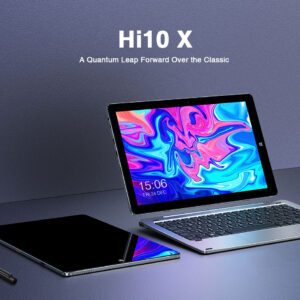
A student tablet should handle PDFs, video lectures, and light typing — not just Netflix.
Decide Your Job First
| Job | Priority |
|---|---|
| Reading + video lectures | Screen size, speakers, battery |
| Handwritten notes | Stylus support that isn’t gimmicky |
| App ecosystems (iOS courses) | iPad may win despite price |
| Budget first | Mid Android tablet + keyboard case |
Specs That Matter
- RAM: 4GB minimum; 6–8GB better for Chrome-heavy study
- Storage: 128GB happier if you keep offline lectures (or rely on SD where supported)
- Display: 10–11" sweet spot for bags
- Updates: Prefer brands that still ship security patches
- Accessories: Budget for a case; keyboard optional
Android vs iPad (Student View)
| Android tablet | iPad | |
|---|---|---|
| Price | Usually better value | Higher entry cost |
| Sideload / file freedom | Easier | More locked |
| Longevity / resale | Mixed | Often stronger |
| Stylus | Model-dependent | Mature Pencil ecosystem |
FAQ
Can a tablet replace a laptop?
For pure reading/Zoom, sometimes. For heavy Word/Excel formatting and coding, keep a laptop (or Chromebook).
Keyboard cases worth it?
Yes if you’ll type essays. Test key travel in-store.
Related
Sources / Verify With
- Manufacturer education pages
- Current campus Wi‑Fi / LMS app requirements
Original Sen Gideons News Studio buyer’s guide.