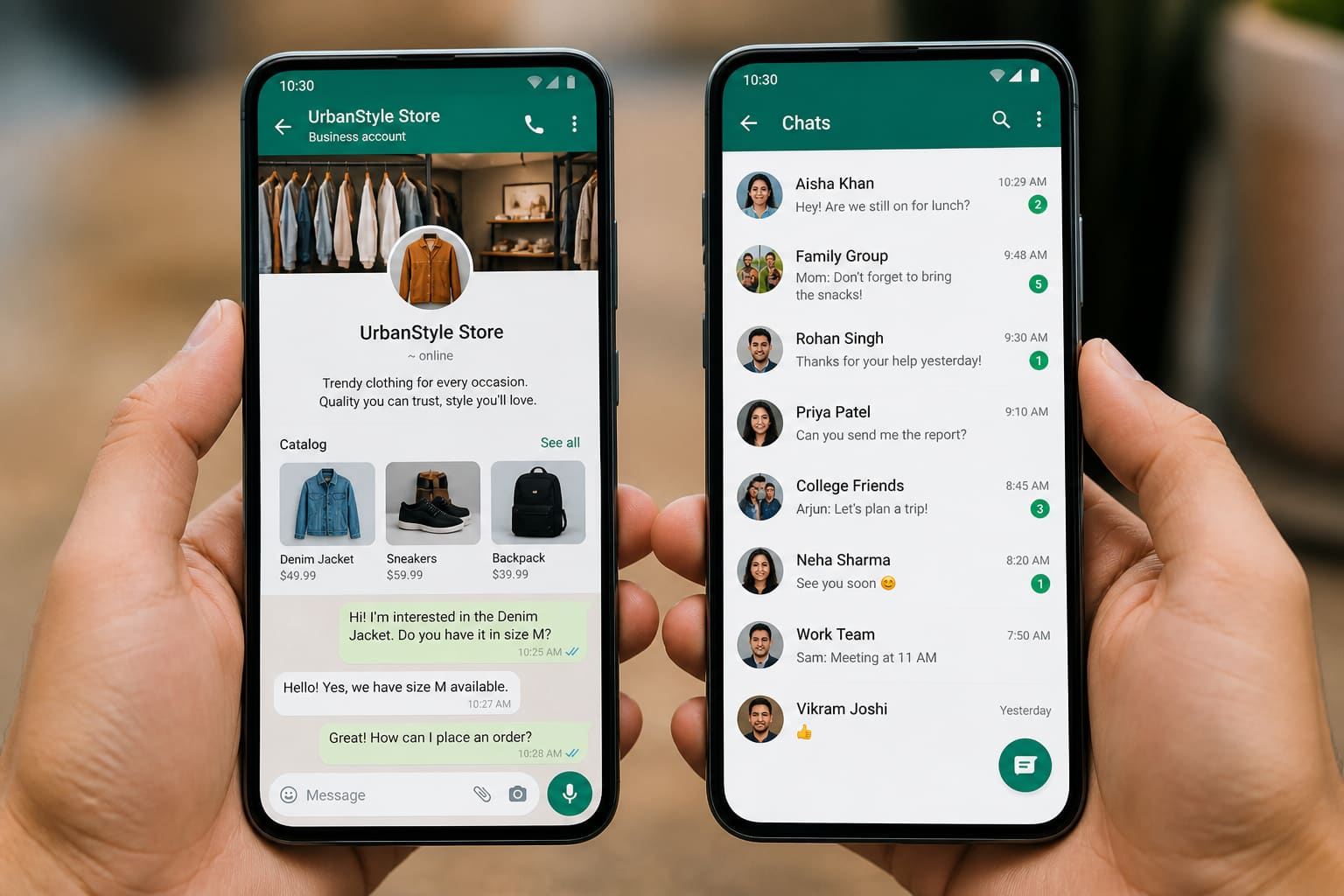
Most Ghanaian small businesses live on WhatsApp. The question is whether WhatsApp Business is worth switching to — or if normal WhatsApp is enough.
Here’s a clear comparison for shop owners, freelancers, and creators.
Normal WhatsApp vs WhatsApp Business
| Feature | Normal WhatsApp | WhatsApp Business |
|---|---|---|
| Chats / calls | Yes | Yes |
| Business profile (address, hours) | Limited | Yes |
| Catalog of products | No | Yes |
| Quick replies | No | Yes |
| Labels (new order / paid) | No | Yes |
| Away / greeting messages | No | Yes |
| Shopping tools | Basic | Stronger for SMEs |
Both are free to download from official app stores. Business API / paid messaging for large companies is a different layer.
Who Should Use WhatsApp Business
Switch if you:
- Get frequent customer orders on chat
- Sell multiple products and need a catalog
- Want greeting messages when you’re busy
- Need labels like “pending payment,” “shipped,” “VIP”
- Run a salon, boutique, food page, pharmacy delivery, or freelance service
Who Can Stay on Normal WhatsApp
- Purely personal use
- Very occasional freelancing with few clients
- Creators who only share status updates and links
How to Switch Without Losing Your Number (Careful)
You typically migrate your number into WhatsApp Business (you can’t run both on the same number on one phone easily without multi-device constraints).
Before switching:
- Backup chats (Google Drive / iCloud as applicable)
- Download WhatsApp Business from the official Play Store / App Store
- Follow the official migration prompts
- Set business name, category, hours, and catalog
Avoid third-party “dual WhatsApp” cracked apps — account ban risk.
Setup Tips That Make You Look Professional
- Clear profile photo/logo
- Short business description with location + main offer
- Catalog with prices (or “DM for price” if needed)
- Quick replies for pricing, location, and payment methods
- Labels for order stages
- Status updates with stock photos you own or have rights to
WhatsApp Business — Quick Facts
| Goal | Tool |
|---|---|
| Look legit | Business profile |
| Sell products | Catalog |
| Speed replies | Quick replies |
| Organise orders | Labels |
| Manage offline hours | Away message |
FAQ
Can I use WhatsApp Business for two numbers?
Device/OS dependent. Many people use a second phone or official multi-device features carefully.
Will customers know I switched?
They’ll see business profile elements. Your chat history depends on a correct migration/backup.
Is WhatsApp Business free?
The app is free. Large-scale WhatsApp Business Platform messaging has separate pricing for enterprises.
Sources / Verify With
- Official WhatsApp Business help centre
- Google Play / App Store official listings only
This article is original editorial for Sen Gideons News Studio. App features change — check WhatsApp’s current help docs.