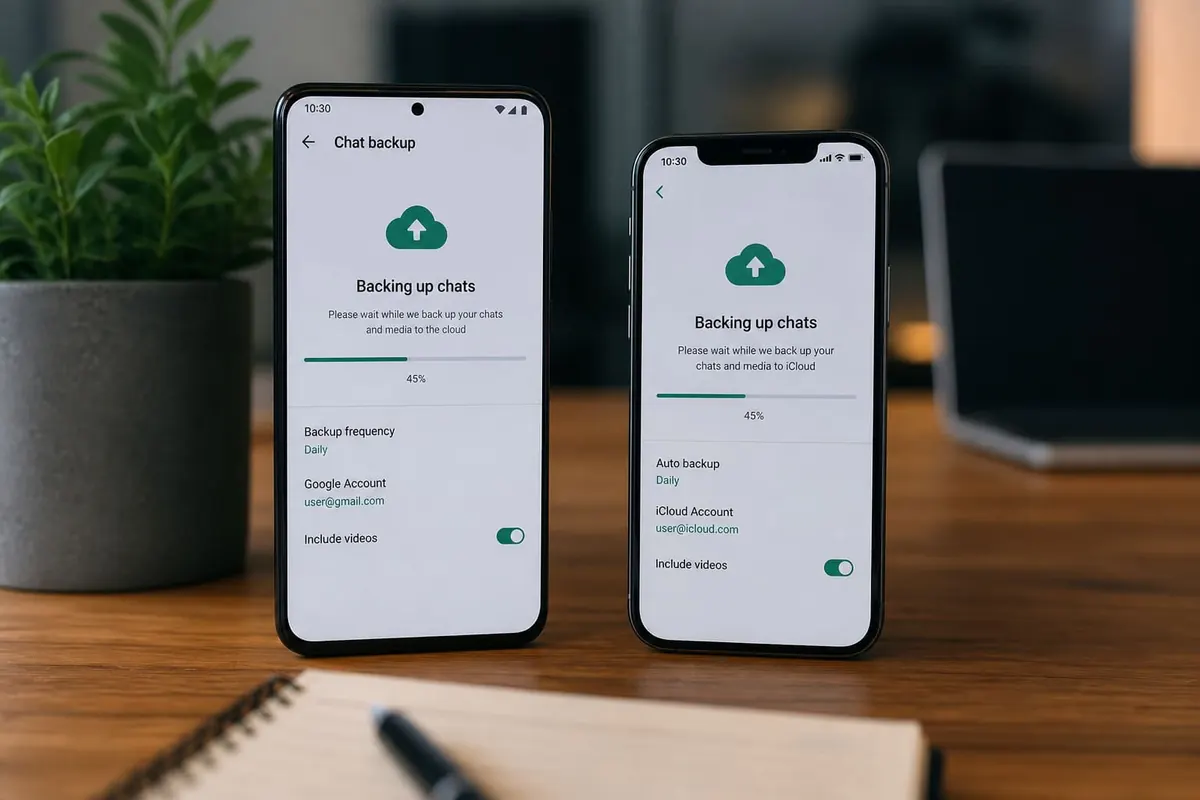
Backing up WhatsApp chats protects years of family, work, and mobile-money confirmations before a stolen phone or failed update wipes the thread. Do this on a schedule.
Android (Google Drive backup)
- Open WhatsApp → Settings → Chats → Chat backup.
- Sign in to Google Drive with your account.
- Choose frequency (daily is safest if data allows).
- Include videos only if you have Drive space and data budget.
- Tap Back up now on Wi‑Fi.
iPhone (iCloud backup)
- WhatsApp → Settings → Chats → Chat Backup.
- Ensure iCloud is signed in (Settings → [name] → iCloud).
- Back Up Now on Wi‑Fi; keep the phone locked/charging as prompted.
- Free iCloud space if backups fail — photos often fill the quota. See iPhone storage.
Before you switch phones
- Run a fresh backup on the old phone
- Install WhatsApp on the new phone with the same number
- Restore when prompted — don’t skip
- Android→iPhone or reverse can need official multi-device transfer tools; follow WhatsApp’s current help docs
Extra safety
- Enable verification PIN / two-step verification in WhatsApp.
- Beware “backup restore” phishing links.
- Export critical PDFs (receipts) out of WhatsApp to Files/Drive separately.
- After migrating, see new Android phone transfer.
FAQ
Do backups use mobile data?
They can — prefer Wi‑Fi.
Why restore failed?
Wrong number/account, incomplete backup, or insufficient storage.
Are deleted chats recoverable from backup?
Only if they existed in the last successful backup.
Schedule Chat Backup on Wi‑Fi, keep cloud storage free, enable two-step verification, and restore carefully on new devices. That’s how WhatsApp history survives phone drama.
Disclaimer
Sengideons.com does not host any files on its servers. All point to content hosted on third-party websites. Sengideons.com does not accept responsibility for content hosted on third-party websites and does not have any involvement in the same.