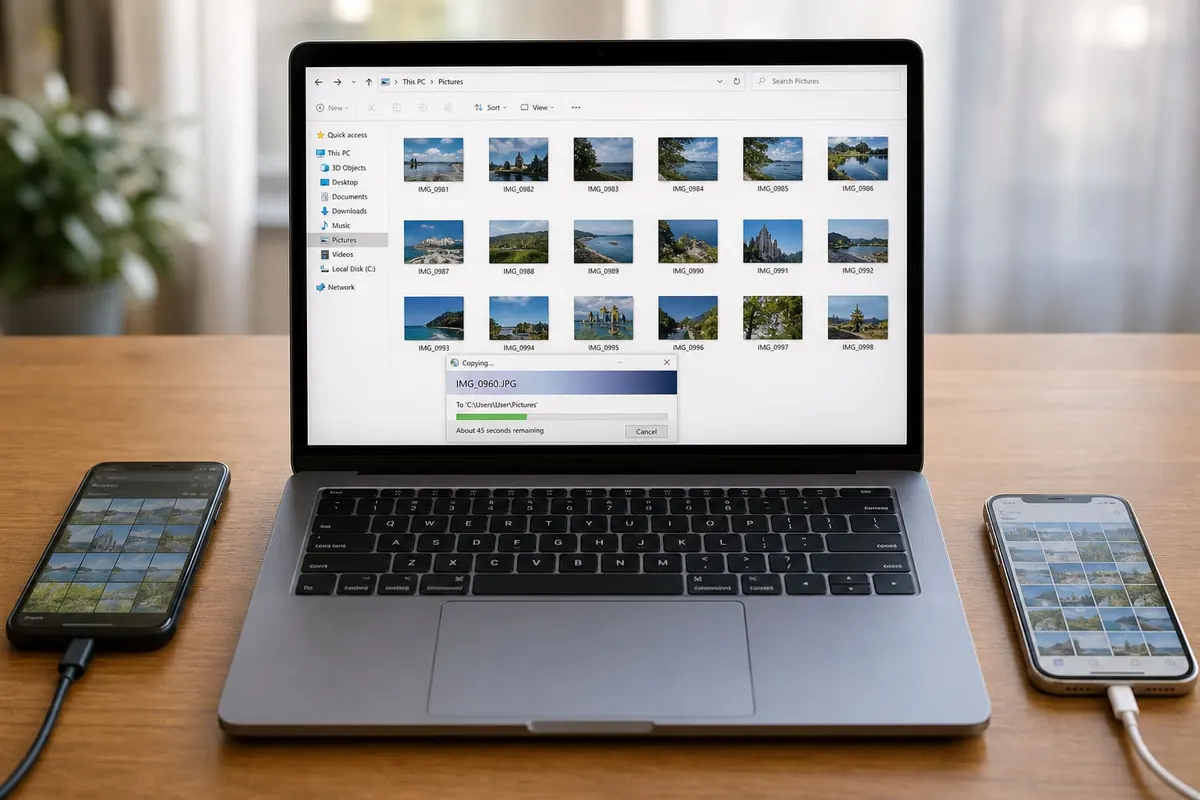
Moving photos from phone to laptop protects memories before a handset is lost, stolen, or reset. Pick a method that matches your cable, OS, and data plan—cloud is easy on Wi‑Fi; cables stay reliable offline.
Android to Windows or macOS
- Use a reliable data cable (charge-only cables fail mysteriously).
- Unlock the phone and set USB mode to File Transfer / MTP.
- On Windows, open the phone in File Explorer → DCIM / Pictures.
- On macOS, use Android File Transfer or official OEM tools when MTP needs help.
- Copy, then verify file counts before deleting from the phone.
iPhone to laptop
- macOS Photos app or Finder (modern macOS) for wired import
- Windows: official Apple Photos/Devices support or trusted explorers
- Trust the computer prompt on the iPhone
- For iCloud Photos, download from iCloud.com on Wi‑Fi if you prefer wireless
Wireless options
Google Photos, iCloud, OneDrive, or Syncthing-style tools work well on home Wi‑Fi. Avoid public café uploads for private albums. Compress only after you have a full-resolution backup.
WhatsApp media note
WhatsApp images may live in separate folders (Android) or inside app storage. Back up chats officially and also copy the media directories if you need originals on a PC.
Organisation habit
- Create dated folders:
2026-09 Accra - Duplicate important events to an external drive monthly
- Do not format the phone until the laptop copy opens successfully
FAQ
Cable charges but no files?
Likely charge-only cable or wrong USB mode.
HEIC on Windows?
Install codec support or export JPEG from Photos/iCloud.
Transfer slow?
Use USB 3 ports, local copies—not microSD hop through failing cards.
Privacy?
Encrypt laptop disks and lock accounts; photo folders are sensitive.
Verify the copy opens on the laptop before you wipe the phone—cable or cloud, same rule.
Practical notes (1)
Revisit this checklist when your situation changes—new phone, new shop location, new season rules, or a fresh scam pattern. Save confirmations, teach one other person the recovery steps, and prefer official sources when instructions conflict with viral tips. Small weekly maintenance beats rare emergency cleanups for the topic covered in post 2148.
Practical notes (2)
Revisit this checklist when your situation changes—new phone, new shop location, new season rules, or a fresh scam pattern. Save confirmations, teach one other person the recovery steps, and prefer official sources when instructions conflict with viral tips. Small weekly maintenance beats rare emergency cleanups for the topic covered in post 2148.
Practical notes (3)
Revisit this checklist when your situation changes—new phone, new shop location, new season rules, or a fresh scam pattern. Save confirmations, teach one other person the recovery steps, and prefer official sources when instructions conflict with viral tips. Small weekly maintenance beats rare emergency cleanups for the topic covered in post 2148.
Practical notes (4)
Revisit this checklist when your situation changes—new phone, new shop location, new season rules, or a fresh scam pattern. Save confirmations, teach one other person the recovery steps, and prefer official sources when instructions conflict with viral tips. Small weekly maintenance beats rare emergency cleanups for the topic covered in post 2148.
Practical notes (5)
Revisit this checklist when your situation changes—new phone, new shop location, new season rules, or a fresh scam pattern. Save confirmations, teach one other person the recovery steps, and prefer official sources when instructions conflict with viral tips. Small weekly maintenance beats rare emergency cleanups for the topic covered in post 2148.
Practical notes (6)
Revisit this checklist when your situation changes—new phone, new shop location, new season rules, or a fresh scam pattern. Save confirmations, teach one other person the recovery steps, and prefer official sources when instructions conflict with viral tips. Small weekly maintenance beats rare emergency cleanups for the topic covered in post 2148.
Practical notes (7)
Revisit this checklist when your situation changes—new phone, new shop location, new season rules, or a fresh scam pattern. Save confirmations, teach one other person the recovery steps, and prefer official sources when instructions conflict with viral tips. Small weekly maintenance beats rare emergency cleanups for the topic covered in post 2148.
Practical notes (8)
Revisit this checklist when your situation changes—new phone, new shop location, new season rules, or a fresh scam pattern. Save confirmations, teach one other person the recovery steps, and prefer official sources when instructions conflict with viral tips. Small weekly maintenance beats rare emergency cleanups for the topic covered in post 2148.
Keep improving
Revisit this checklist when your tools, season rules, or shop setup change. Save confirmation screenshots, teach one other person the recovery path, and prefer official documentation whenever a viral tip disagrees with the current product screens. Weekly fifteen-minute maintenance usually prevents the weekend emergency that costs money or data. If something fails twice in a row, pause and verify accounts, cables, and backups before you repeat the same click path.
Share the working method
Write the steps that worked for your household or shop in a short note you can find offline. Include SIMs used, Google accounts, charger models, or delivery suburbs where relevant. Clear notes beat memory when a phone is lost or a staff member is away. Review the note after major app updates so permission prompts do not surprise you mid-task.
Keep improving
Revisit this checklist when your tools, season rules, or shop setup change. Save confirmation screenshots, teach one other person the recovery path, and prefer official documentation whenever a viral tip disagrees with the current product screens. Weekly fifteen-minute maintenance usually prevents the weekend emergency that costs money or data. If something fails twice in a row, pause and verify accounts, cables, and backups before you repeat the same click path.
Share the working method
Write the steps that worked for your household or shop in a short note you can find offline. Include SIMs used, Google accounts, charger models, or delivery suburbs where relevant. Clear notes beat memory when a phone is lost or a staff member is away. Review the note after major app updates so permission prompts do not surprise you mid-task.
Disclaimer
Sengideons.com does not host any files on its servers. All point to content hosted on third-party websites. Sengideons.com does not accept responsibility for content hosted on third-party websites and does not have any involvement in the same.