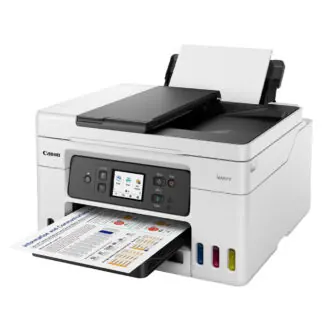
Budget printers for students and SMEs in Ghana should prioritise cost-per-page and spare ink availability — not only the shelf price of the machine.
Pick a type
- Inkjet: Cheaper entry; watch ink costs for heavy use
- Laser (mono): Better for heavy text documents
- Tank/eco-tank style: Lower running costs if you print often
- Multifunction: Scan/copy helps SMEs; confirm feeder quality
Buyer checklist
- Local ink/toner availability and price
- USB vs Wi‑Fi reliability in your space
- Duplex (two-sided) if you print long notes
- Duty cycle realistic for your volume
- Warranty channel in Ghana
Running-cost discipline
- Draft mode for everyday notes
- Print preview to kill blank pages
- Genuine or reputable toner — ultra-cheap cartridges can leak
- Power via a decent extension/surge setup — surge guide
Student setup extras
Pair with a readable monitor — monitor guide — and a stable desk lamp — lamp guide.
FAQ
Is the cheapest printer cheapest overall?
Often no — ink can cost more than the device.
Do I need colour?
Many coursework/SME docs are fine mono.
Wireless only?
USB backup saves you when Wi‑Fi drivers misbehave.
Choose based on ink/toner economics and local spares, then features. A slightly dearer tank/laser often beats a bargain inkjet that empties every fortnight.
Disclaimer
Sengideons.com does not host any files on its servers. All point to content hosted on third-party websites. Sengideons.com does not accept responsibility for content hosted on third-party websites and does not have any involvement in the same.