
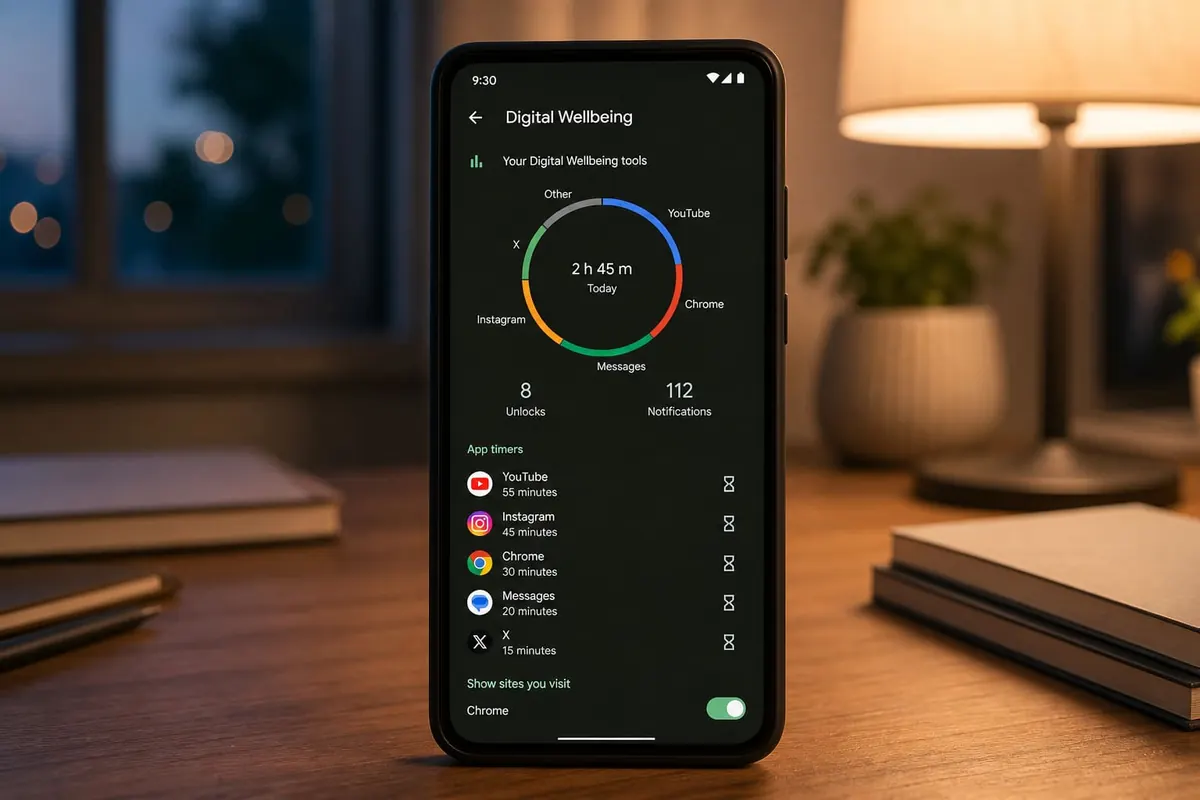
How to Use Android Digital Wellbeing and Screen Time Limits

Digital Wellbeing shows where your hours go — then lets you cap the apps that steal them.

Work the steps in order. Most “dead phone” stories in Ghana start with a skipped backup or a roadside flash.

Set It Up

  1. Settings → Digital Wellbeing & parental controls
  2. Review Dashboard (which apps drain time)
  3. Set App timers on TikTok/Instagram/YouTube
  4. Enable Bedtime mode / Greyscale wind-down
  5. Use Focus mode during study blocks

Some OEMs rename this (Digital balance, etc.).

Make Limits Work

  • Don’t keep the pause button too easy
  • Combine with notification hygiene
  • Charge outside the bedroom if nights are the problem

FAQ

Parental controls for kids?

Family Link is the fuller tool for child accounts — Digital Wellbeing is more self-control for you.

Bypass timers?

Possible if you try — treat timers as training wheels, not prison.

Sources / Verify With

  • Google Digital Wellbeing help

If nothing works

Do not factory-reset first. Back the phone or PC up and write down the Google or Microsoft account. Hardware faults (charge port, digitizer, keyboard) belong in an authorised shop. Roadside “IMEI repair” and random flashing usually make the device worse.

Do this in order

Start with Settings → Digital Wellbeing & parental controls, then Review Dashboard (which apps drain time). Skipping ahead to a factory reset wipes WhatsApp, photos, and school files you cannot get back from a Kantamanto stall.

If only one app misbehaves, stay inside that app’s settings. If many apps fail after a cheap charger, heat, or a “cleaner” APK, treat it as a system problem. Back up first. Authorised service beats roadside flashing.

If you only remember three things from this page, make them Settings → Digital Wellbeing & parental controls, Review Dashboard (which apps drain time), and Set App timers on TikTok/Instagram/YouTube. Write them on your phone before you factory-reset.

Extra checks

Will a “phone doctor” kiosk fix it faster?

Sometimes for a charge port. Often they flash unofficial software and you lose the Google account. Try Settings → Digital Wellbeing & parental controls first. Back up before anyone wipes the device.

Safe to install a random APK that “repairs” this?

No. If Play Store cannot install it, that is a signal. Sideload only when you trust the file, and never from a WhatsApp blast.

Related reading

Original Sen Gideons News Studio editorial. Not legal advice.

Disclaimer

Sengideons.com does not host any files on its servers. All point to content hosted on third-party websites. Sengideons.com does not accept responsibility for content hosted on third-party websites and does not have any involvement in the same.


LEAVE A REPLY

Please enter your comment!
Please enter your name here
Are you human? Please solve:Captcha








