
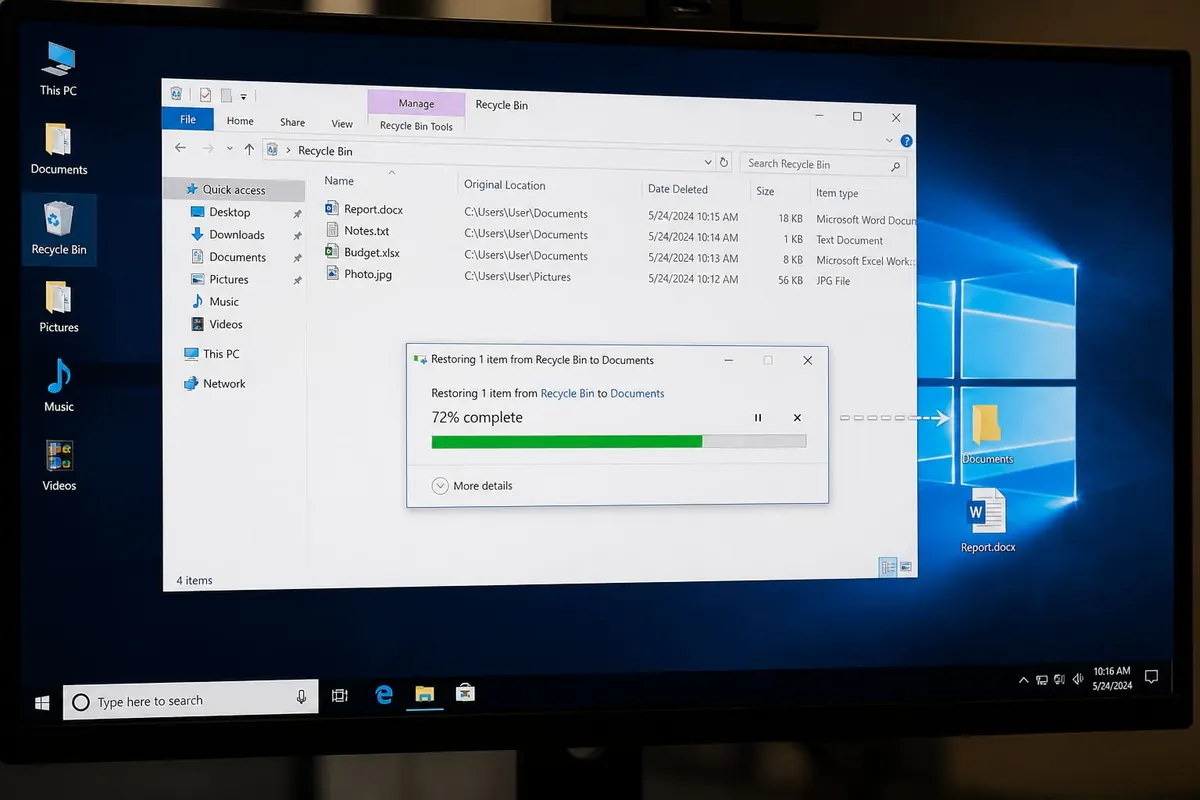
Recovering deleted Windows files starts with the Recycle Bin — then backups, File History, and recovery tools in careful order. Act fast and avoid installing huge programs on the same drive you’re recovering from.
Step 1 — Recycle Bin
- Open Recycle Bin.
- Search/sort by date deleted.
- Restore to original location.
Step 2 — Backups you already have
- OneDrive/version history if enabled
- External drive copies — drive guide
- Email attachments you sent yourself
- WhatsApp document re-downloads if relevant — WhatsApp backup is chats, not arbitrary PC files
Step 3 — Windows tools
- File History restore (if you turned it on earlier).
- Previous Versions via folder properties (when restore points/shadow copies exist).
- Don’t format the drive hoping for miracles first.
Step 4 — Deeper recovery
- Stop writing new data to that partition
- Use reputable recovery software from a different drive when possible
- SSD TRIM can make deep recovery harder — backups matter more
- Professional labs for critical legal/business data
FAQ
Shift+Delete recoverable?
Not via Recycle Bin — deeper methods/backups only.
Can cleaners help?
They often overwrite — avoid.
Best prevention?
Automated backups + Recycle Bin checks.
Check Recycle Bin and existing backups first, then Windows history tools, then careful recovery. Prevention beats heroics — especially on SSDs.
Disclaimer
Sengideons.com does not host any files on its servers. All point to content hosted on third-party websites. Sengideons.com does not accept responsibility for content hosted on third-party websites and does not have any involvement in the same.












