
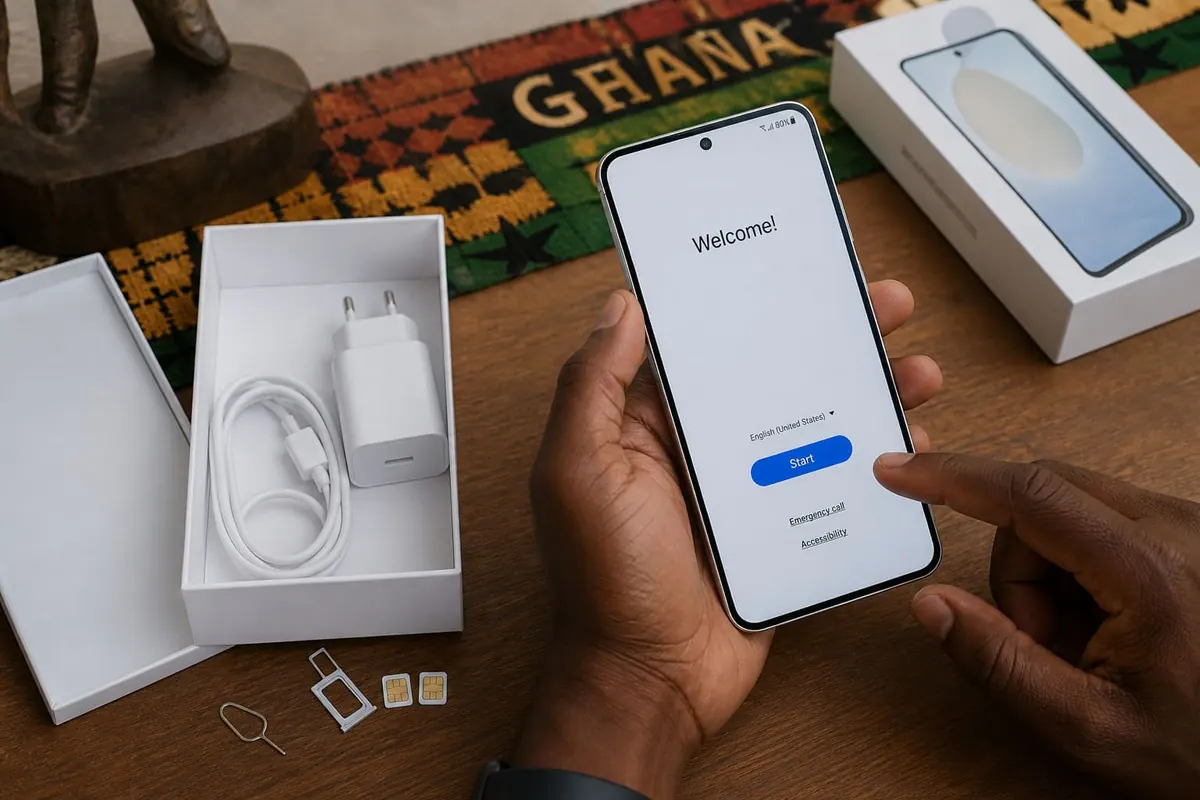
The first thirty minutes with a new Android phone decide how clean, secure, and useful the device feels for months. In Ghana that means planning for dual SIMs, MoMo apps, WhatsApp migration, and heat-aware charging—not only picking a wallpaper.
Unbox and inspect
- Match IMEI on the box and in Settings → About phone
- Check screen for dead pixels under a bright white wallpaper
- Confirm charger and cable are genuine-feeling; keep receipts
- Insert SIMs carefully; note which tray is SIM1 vs SIM2
First boot checklist
- Connect to trusted Wi‑Fi to avoid burning data on huge updates.
- Sign into the correct Google account—the one that owns Play purchases and backups.
- Skip random third-party app offers during setup wizards.
- Set a strong screen lock (PIN/password + fingerprint/face as backup).
- Enable Find My Device / Google Find Hub style location features.
Update before you casual-browse
Install system updates and Play services first. Security patches matter more than installing every social app on day one. Reboot after major updates.
SIM, data, and dual-SIM habits
Label SIMs (Work / Personal). Set default calls and default data deliberately. Turn off unused mobile data on the secondary SIM to reduce radio heat and surprise billing. Save USSD shortcuts you actually use; avoid unknown “bonus” dialer apps.
Move WhatsApp and photos
Use official WhatsApp transfer flows or Google backup restoration. For photos, Google Photos backup on Wi‑Fi is safer than random USB apps from unknown APK sites. Verify a few albums before wiping the old phone.
Install only what you need
- Banking and MoMo from official store listings you recognise
- Email, calendar, maps
- One password manager
- Disable bloat you cannot uninstall by restricting battery and notifications
Privacy quick wins
Review app permissions after the first day. Deny location for apps that do not need it. Turn off clipboard access where possible. Set notification content to hide on lock screen for banking apps.
Battery and heat from day one
Avoid gaming while fast-charging in the sun. Remove thick cases during first long charge cycles if the phone runs hot. Adaptive battery features help after a few days of learning your routine.
FAQ
Should I root for performance?
No for daily drivers—security and banking apps often break.
Clone apps for two WhatsApp numbers?
Use supported dual-app features or a second device; beware shady cloners.
Keep the old phone?
Until you confirm OTP SMS, WhatsApp, and photo backups on the new one.
MicroSD?
Useful for media; keep apps and 2FA on internal storage when possible.
Secure Google login, updates, SIM defaults, and official app installs beat cosmetic setup every time.
Practical notes (1)
Revisit this checklist when your situation changes—new phone, new shop location, new season rules, or a fresh scam pattern. Save confirmations, teach one other person the recovery steps, and prefer official sources when instructions conflict with viral tips. Small weekly maintenance beats rare emergency cleanups for the topic covered in post 3236.
Practical notes (2)
Revisit this checklist when your situation changes—new phone, new shop location, new season rules, or a fresh scam pattern. Save confirmations, teach one other person the recovery steps, and prefer official sources when instructions conflict with viral tips. Small weekly maintenance beats rare emergency cleanups for the topic covered in post 3236.
Practical notes (3)
Revisit this checklist when your situation changes—new phone, new shop location, new season rules, or a fresh scam pattern. Save confirmations, teach one other person the recovery steps, and prefer official sources when instructions conflict with viral tips. Small weekly maintenance beats rare emergency cleanups for the topic covered in post 3236.
Practical notes (4)
Revisit this checklist when your situation changes—new phone, new shop location, new season rules, or a fresh scam pattern. Save confirmations, teach one other person the recovery steps, and prefer official sources when instructions conflict with viral tips. Small weekly maintenance beats rare emergency cleanups for the topic covered in post 3236.
Practical notes (5)
Revisit this checklist when your situation changes—new phone, new shop location, new season rules, or a fresh scam pattern. Save confirmations, teach one other person the recovery steps, and prefer official sources when instructions conflict with viral tips. Small weekly maintenance beats rare emergency cleanups for the topic covered in post 3236.
Practical notes (6)
Revisit this checklist when your situation changes—new phone, new shop location, new season rules, or a fresh scam pattern. Save confirmations, teach one other person the recovery steps, and prefer official sources when instructions conflict with viral tips. Small weekly maintenance beats rare emergency cleanups for the topic covered in post 3236.
Practical notes (7)
Revisit this checklist when your situation changes—new phone, new shop location, new season rules, or a fresh scam pattern. Save confirmations, teach one other person the recovery steps, and prefer official sources when instructions conflict with viral tips. Small weekly maintenance beats rare emergency cleanups for the topic covered in post 3236.
Practical notes (8)
Revisit this checklist when your situation changes—new phone, new shop location, new season rules, or a fresh scam pattern. Save confirmations, teach one other person the recovery steps, and prefer official sources when instructions conflict with viral tips. Small weekly maintenance beats rare emergency cleanups for the topic covered in post 3236.
Keep improving
Revisit this checklist when your tools, season rules, or shop setup change. Save confirmation screenshots, teach one other person the recovery path, and prefer official documentation whenever a viral tip disagrees with the current product screens. Weekly fifteen-minute maintenance usually prevents the weekend emergency that costs money or data. If something fails twice in a row, pause and verify accounts, cables, and backups before you repeat the same click path.
Share the working method
Write the steps that worked for your household or shop in a short note you can find offline. Include SIMs used, Google accounts, charger models, or delivery suburbs where relevant. Clear notes beat memory when a phone is lost or a staff member is away. Review the note after major app updates so permission prompts do not surprise you mid-task.
Disclaimer
Sengideons.com does not host any files on its servers. All point to content hosted on third-party websites. Sengideons.com does not accept responsibility for content hosted on third-party websites and does not have any involvement in the same.












