
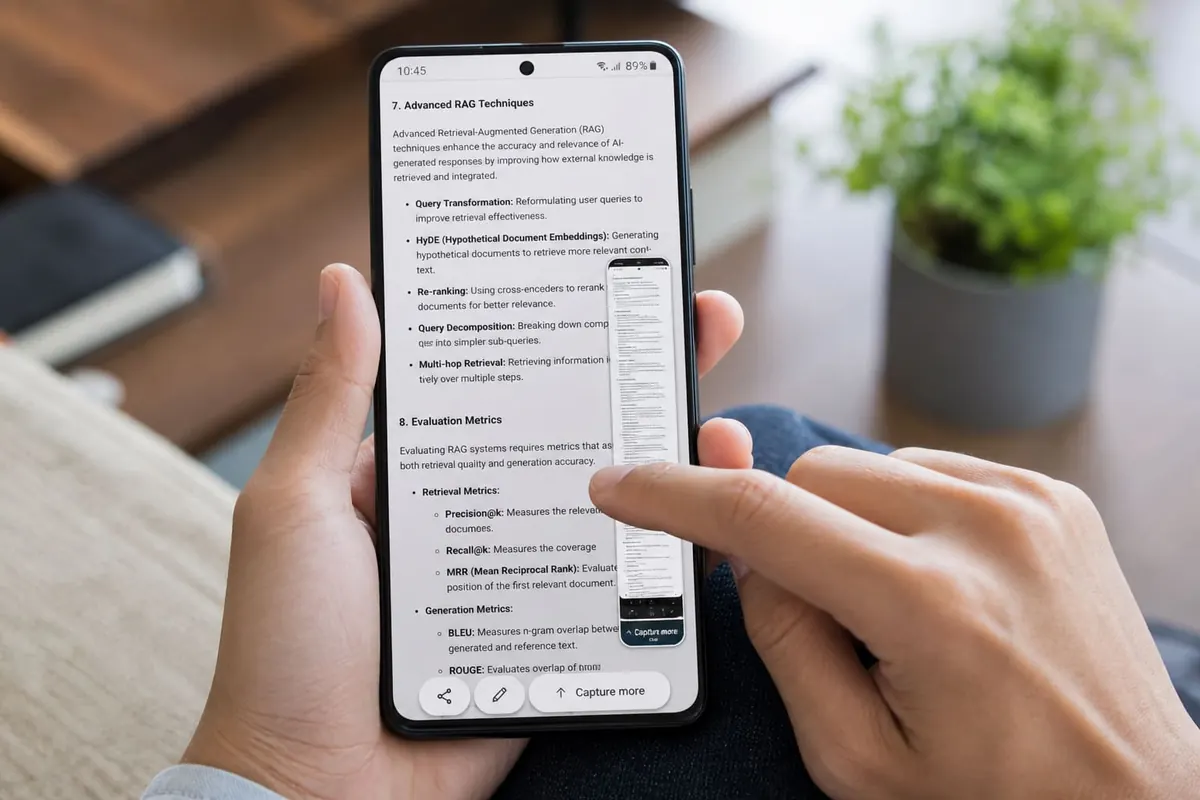
Scrolling screenshots (long screenshots) capture an entire chat or webpage as one tall image — handy for receipts, WhatsApp proof, and tutorials on Android.
General method (many Androids)
- Open the content (chat, page, settings list).
- Take a normal screenshot (power + volume down on many phones).
- Tap Scroll / Long screenshot / Capture more on the preview toolbar.
- Keep tapping or dragging until the page end.
- Save; crop if needed.
Brand notes
- Samsung: Often “Scroll capture” on the toolbar
- Xiaomi/Redmi: “Scroll” after screenshot
- Tecno/Infinix: Look for “Long shot” / scroll
- Pixel: “Capture more” when supported
When it fails
- Some apps block scrolling capture (banking).
- Dynamic pages that load forever may glitch — slow down.
- If toolbar lacks Scroll, try a different launcher screenshot tool or Google’s built-in options for your OS version.
- Storage full? Free space or move files to SD.
Privacy
- Crop out OTPs, balances, and other people’s photos
- Don’t post full chat scrolls publicly
- For UI demos, consider screen recording instead
FAQ
Does iPhone have this?
Full-page Safari PDFs exist; chat long screenshots differ by iOS version/apps.
Why is the image blurry?
Some stitch bugs — recapture slower.
Can I screenshot multiple chats at once?
Usually one thread at a time.
Screenshot → Scroll/Capture more → save and crop secrets. That’s the Android long-screenshot workflow most Ghana phones support.
Disclaimer
Sengideons.com does not host any files on its servers. All point to content hosted on third-party websites. Sengideons.com does not accept responsibility for content hosted on third-party websites and does not have any involvement in the same.












