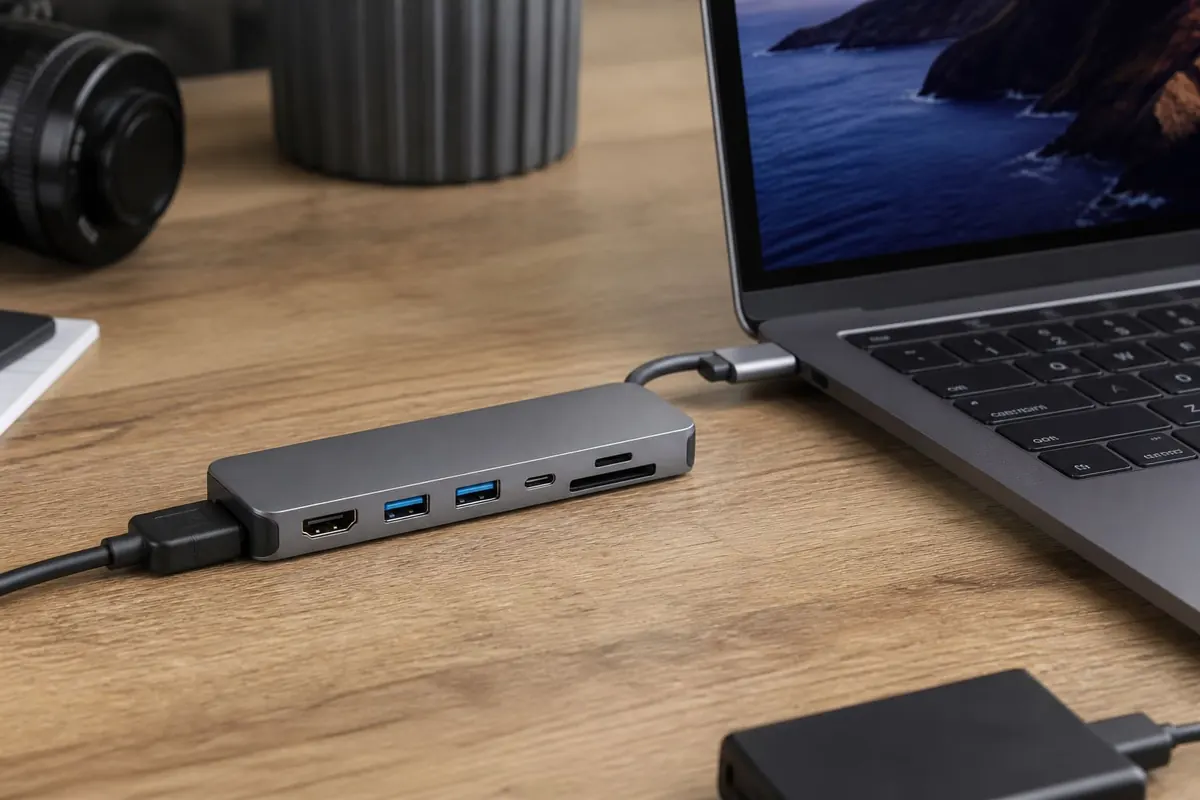
A USB-C hub earns its keep when your laptop has few ports. Ghana buyers should match the hub to the laptop’s USB-C capabilities — not every port is Thunderbolt or full DisplayPort alt-mode.
What most people actually need
- HDMI for classroom/projector mirrors — projector guide
- USB-A for flash drives/mice
- SD/microSD reader for creators
- Passthrough charging (check wattage)
- Ethernet if campus Wi‑Fi is unreliable
Compatibility checklist
- Does your USB-C port support video output?
- Charging wattage headroom for your laptop model
- USB data speed (USB 3 vs slower bargain hubs)
- Heat under load — cheap hubs throttle
- Cable-attached vs dongle form for your bag
Power safety
Use reputable chargers and consider surge protection on the wall side — surge guide. For multi-display Windows setups see dual monitors.
FAQ
Will any hub fit any USB-C laptop?
Physically maybe; features depend on the port.
Why is HDMI blank?
Port may lack DisplayPort alt-mode — check laptop specs.
Do I need Thunderbolt branding?
Only for high-bandwidth docks/displays that require it.
Buy the ports you use weekly, verify video/charging support for your exact laptop, and avoid no-name hubs that overheat. Compatibility beats port count bragging.
Disclaimer
Sengideons.com does not host any files on its servers. All point to content hosted on third-party websites. Sengideons.com does not accept responsibility for content hosted on third-party websites and does not have any involvement in the same.